Category: Engineering

  • Tracking Audio Dropouts in a Live Production: A Quick Guide for the Best Sound Engineers

    How to Troubleshoot Audio Dropouts in Live Productions: A Sound Engineer’s Guide

    Introduction

    If you’ve worked in live production engineering for any length of time, then you’ve likely encountered nightmare audio dropouts in this scenario: the main output suddenly goes silent in the middle of a show. Then the director, the crew—maybe even the entire audience—turns to glare at you. And it’s not just any glare, but the “Do-you-know-what-you’re-doing?” death stare. So, now what do you do in this high-pressure moment? Hopefully, you’re reading this before disaster strikes not in the crisis moment.

    The ability to quickly track down and resolve audio dropouts is one of the reasons you get paid the big bucks. Let’s break down the essential troubleshooting steps to help you fix the problem—fast.


    1. Check the Mute and Solo Buttons

    This is the easiest and quickest fix, that could save you from a catastrophe from audio dropouts might just be a simple tap. Everyone makes this mistake at some point—brushing a button on the way to adjust another control. If the sound is gone, double-check the mute and solo buttons first. You might just avoid an unnecessary crisis.


    2. Follow the Signal Chain to find audio dropouts

    If it’s not a mute/solo issue, you’ll need to trace the signal path step by step. Look at the board—are all the signal meters flashing as expected? If a signal suddenly disappears, you need to identify where in the chain the audio dropout occurs.

    Here’s a basic signal flow to check:

    • Inputs (Are mics/instruments sending a signal?)
    • EQs (Any drastic EQ cuts that could mute sound?)
    • Aux Sends/Buses (Are the buses routing properly?)
    • Master Outputs (Is the output going to the right bus?)

    Knowing your mixing console’s system flow speeds up this process dramatically.
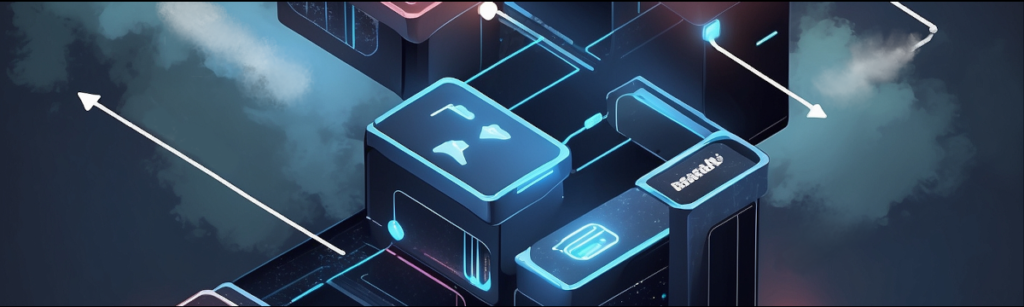
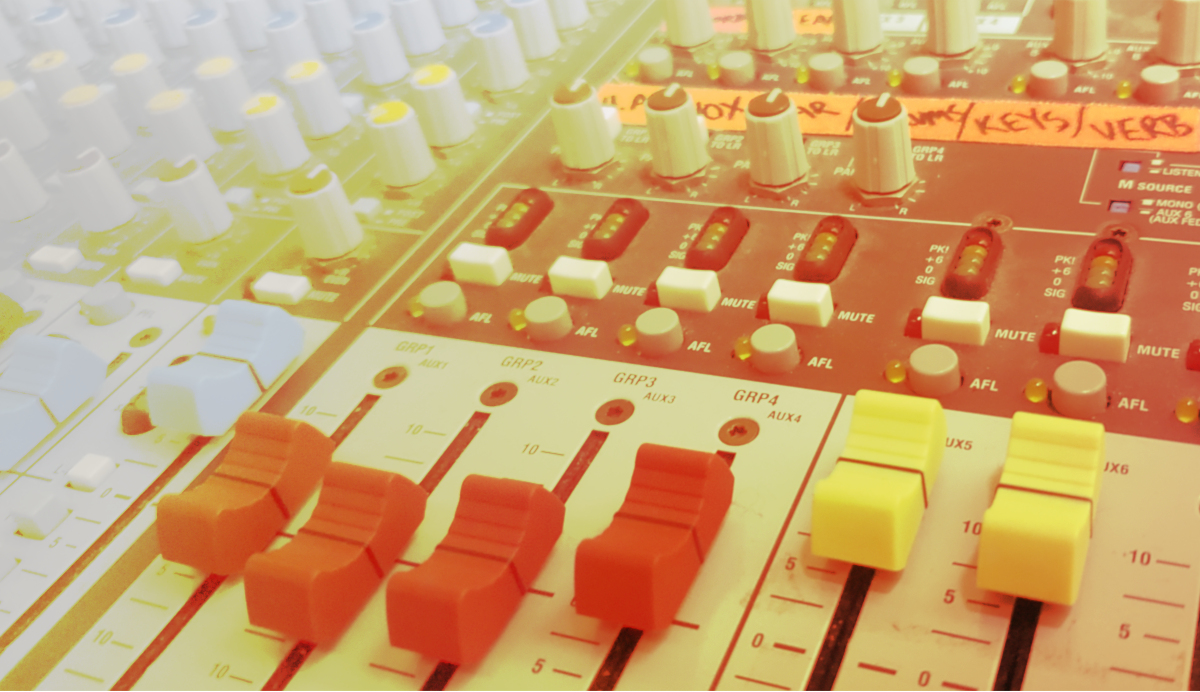
    audio dropouts signal chain image

    3. Check Local Connections for the audio dropouts

    If the signal flow looks fine, the next step is to inspect physical connections:

    • Are cables securely plugged into the mixer?
    • Did a cable come loose on the stage box or snake?
    • If using wireless, are receivers showing power and links?

    Start with the main outputs and work backward. If connections aren’t local to the control booth, ask a stage tech to check backstage cables.


    4. Check Power Sources

    It might sound obvious, but did you lose power? If your console has no lights, meters, or activity, power loss could be the culprit. Think through these steps to check if the power is affecting you.

    • Did someone trip over a power cord?
    • Is the power strip still plugged in?
    • Did a fuse or breaker trip?

    To avoid power-related surprises, use gaffer tape to secure power cables and keep plugs from disconnecting accidentally.


    5. Preventative Measures to Avoid Future Issues

    A few habits can drastically reduce the chances of mid-show technical failures:

    • Use fresh batteries in wireless systems before every show.
    • Run a soundcheck for every channel before the audience arrives.
    • Follow a consistent startup/shutdown process to ensure nothing is overlooked.
    • Regularly inspect cables and connections for wear and tear.

    These simple steps can help prevent last-minute scrambling when things go wrong.


    Conclusion

    Losing sound in the middle of a live show is stressful, but having a systematic troubleshooting method makes all the difference. By following these steps, you can quickly diagnose and resolve the issue—before the glares turn into full-blown panic.

    Stay calm, work methodically, and keep the show running smoothly!

    Call us today for further resources and training. We would be glad to help.

    For some of the best in audio training online, take a good look at SynAudCon. They can help get you the skills to troubleshoot audio systems faster.

  • The Best Cue Timing Techniques in Mixed Media Productions

    The Best Cue Timing Techniques in Mixed Media Productions

    How to get Cue Timing to work for you

    In live productions that blend prerecorded media with live elements, precise cue timing is essential to maintain seamless synchronization. Whether you’re working on a theatrical performance, a corporate event, or a live broadcast, aligning prerecorded cues with live action ensures the audience experiences the performance as intended. Below, we explore the best practices and techniques to perfect prerecorded cue timing while maintaining flexibility for real-time adjustments.


    1. Understand the Flow of the Production for Cue Timing

    Before setup, take time to familiarize yourself with the production flow. This can mean reading over a script or presentation outline, ideally in a format where you can take notes. Pay attention to how prerecorded elements integrate with live elements both inside and outside of your control. A comprehensive understanding ensures you can anticipate transitions and execute cues with the best precision.


    2. Rehearse Cue Timing with All Media Elements

    Conduct full technical rehearsals with all live and prerecorded elements in place. Pay attention to how long it takes for cues to execute from pressing “play” to actual output. Different devices introduce latency into the system, especially in complex setups with video playback, audio mixing, and live feed monitoring. Identify points of delay and compensate by preemptively adjusting cue triggers.

    Document these delays and adjust cue timings accordingly. Testing multiple scenarios ensures the best preparation for live performance variability. By planning ahead, you ensure the best sync between live and prerecorded elements.


    3. Utilize Playback Software with Precise Controls

    Invest in professional playback software designed for live productions. These tools provide precise control over playback timing, allowing you to set pre-roll times, fades, and triggers. Some tools will also let you group cues into sequences, ensuring smoother execution. Using the best tools available simplifies your workflow and reduces errors during live performances.


    4. Incorporate Redundant Systems for Reliability

    In live productions, equipment failure is always a risk. To avoid disruptions, incorporate redundant systems for media playback. Make sure that you have quick access to audio files in case the automated player fails. Additionally, always route audio and video cues through different channels.

    Redundancy ensures that even if one system fails, you can switch seamlessly to the backup for the best uninterrupted performance.


    5. Set Triggers Based on Visual and Audio Cues

    While technical tools provide precision, human observation remains crucial. This is where comprehensive understanding of the production becomes essential. Train operators to recognize key visual or audio cues from the live feed such as a speaker’s gesture or a change in lighting.

    This combination of automation and manual triggers gives you the best flexibility to handle unexpected changes.


    6. Monitor in Real-Time with Communication Tools

    Equip your team with in-ear monitors and real-time communication tools. Live feed operators, playback engineers, and stage managers should stay connected to coordinate timing adjustments as needed. Quick communication ensures the best response to any unexpected timing discrepancies.


    7. Use Fade-In and Fade-Out Transitions

    When blending prerecorded cues with live elements, sudden starts or stops can feel jarring. Incorporate fade-ins and fade-outs to create smoother transitions. Apply fades to prerecorded audio tracks to match live sound dynamics. Program the live sound to fade out as the prerecorded track fades in. Use video fades to align with live stage transitions.

    These subtle adjustments contribute to the best seamless integration of mixed media.


    8. Document and Optimize Post-Show

    After each performance, review the timing and execution of prerecorded cues. Note any discrepancies and brainstorm ways to improve. Take every success and failure into the next production as lessons. This continuous improvement process helps refine your techniques for future performances, ensuring the best results over time.


    Conclusion

    Timing prerecorded cues in a mixed media arrangement requires careful planning, technical expertise, and a proactive approach. By using tools like playback software, redundancy systems, and effective communication, you can maintain perfect synchronization. Combined with real-time monitoring and rehearsals, these best practices will help you handle the challenges of live productions with confidence.

    With practice and attention to detail, you can deliver performances that seamlessly integrate prerecorded and live elements, leaving your audience with the best impression of your technical expertise.

    We can help you to setup your live production, and navigate even the complex world of cue timing. Give us a call and let us help you.

  • The Best Tips for Ensemble Balance in Live Performance

    The Best Tips for Ensemble Balance in Live Performance

    Vocal Focus and Register Management in Large Group Ensemble Balance

    As a live performance sound engineer, providing balance to the sound of a large ensemble is both a science and an art. Ensemble balance is managing multiple actors and/or vocalists on stage. Knowing when each character’s voice must be heard clearly at the right moments, maintains a harmonious overall mix. This challenge often comes down to group bussing, gain management, and register balancing. In this article, we’ll explore the best practices for achieving clarity, focus, and dynamics in live ensemble performances.

    Understanding the Role of Group Bussing in Ensemble Balance

    Group bussing is one of the best tools at your disposal for managing large ensembles. By grouping multiple vocal channels into a single bus, you gain centralized control over their combined volume, EQ, and effects. This simplifies your workflow and ensures consistency across similar voices or roles.

    Best Practices for Group Bussing:

    1. Organize by Role or Function: Assign actors or vocalists to buses based on their roles—for example, by lead characters, supporting characters, and chorus. This kind of bussing helps so that you can quickly adjust levels and dynamics for each group during the performance.
    2. Use Submixes for Complex Arrangements: For particularly large ensembles, you can also consider creating submixes for specific sections (e.g., altos, tenors, baritones) and then to route those into a master bus. This approach allows for finer control and the best balancing flexibility.
    3. Apply Effects Strategically: Use subtle reverb or delay on group buses to create depth and cohesion without overwhelming the clarity of individual voices.

    Balancing Gain and Volume for Vocal Registers in Ensemble Balance

    One of the most challenging aspects of live sound for large ensemble balance is managing the gain and volume across varying vocal registers. Actors and vocalists have different tonal qualities and dynamic ranges, which can create imbalances if not managed carefully. The goal is to bring out each character’s voice at the most appropriate time all the while maintaining an even mix.

    Best Practices for Gain and Volume Control:

    1. Set Proper Gain Staging: During soundcheck, make sure you optimize each microphone’s gain. The signal should be strong enough to avoid noise but not so high that it risks clipping. Proper gain staging is the foundation for the best sound clarity.
    2. Use Compression Thoughtfully: Apply compression to even out dynamic differences between vocalists. For leads or soloists, use a lighter compression ratio to retain expressiveness. For ensemble groups, more aggressive compression can help create a unified sound.
    3. Automate Fader Levels: For complex performances, use scene recalls or automation to preprogram fader adjustments for key moments. This ensures the best vocal balance without needing constant manual intervention.

    Achieving Vocal Focus

    In large ensembles, vocal focus refers to ensuring the audience’s attention is drawn to the right voice at the right time. This is especially important in theatrical productions, where the story hinges on dialogue and character interactions. The clarity of those interactions are crucial in the audio. Ensemble balance can be tricky to setup and maintain, but here are some ideas to help you.

    Best Practices for Vocal Focus:

    1. Prioritize Lead Vocals: Use EQ and volume adjustments to make lead vocals stand out. For example, boost midrange frequencies to enhance vocal intelligibility and presence.
    2. Duck Background Vocals: Sidechain compression is an excellent technique for momentarily lowering the volume of background vocals or instruments when lead vocals are active. This ensures the best clarity for critical lines.
    3. Layer with Panning: Use panning to create spatial separation between voices. Placing supporting vocals slightly off-center can help leads remain the focal point while maintaining a full stereo image.

    Managing Register Balance

    Different vocal registers—such as soprano, alto, tenor, and bass—present unique challenges in a mix. Higher registers dominate if not controlled and lower registers get lost in the overall sound. Maintaining ensemble balance is crucial to giving room to each register and voice.

    Best Practices for Register Balancing:

    1. EQ for Register Clarity: Use EQ to carve out space for each register. For example, roll off low frequencies on sopranos to avoid muddiness and add warmth to basses by boosting low-mid frequencies. Strive for the best tonal separation.
    2. Adjust Dynamics per Register: Set compression thresholds and ratios based on the dynamics of each register. Softer voices may need more compression to maintain consistency, while naturally powerful voices require less.
    3. Consider Register Overlap: Be mindful of overlapping frequencies between registers. Use narrow EQ cuts to minimize conflicts and maintain the best definition for each voice.

    Common Challenges and Solutions

    1. Mic Bleed: In ensemble settings, microphones can pick up unwanted sounds from nearby sources. Use directional microphones and careful placement to minimize bleed.
      • Solution: High-pass filters can help reduce low-frequency bleed, and gates can be used to suppress unwanted noise.
    2. Stage Dynamics: Actors and vocalists may move unpredictably, affecting microphone pickup and balance.
      • Solution: Use wireless microphones with consistent polar patterns and monitor levels closely throughout the performance.
    3. Feedback Control: Large ensembles increase the risk of feedback due to the number of open microphones.
      • Solution: Use feedback suppressors and carefully manage microphone gain to maintain the best balance between volume and stability.

    Conclusion

    Balancing large ensembles for vocal focus and register is a demanding but rewarding aspect of live performance sound engineering. Ensemble balance is an art that is structured in several skills. By mastering group bussing, optimizing gain and volume, and focusing on vocal clarity, you can deliver the best audio experience for both performers and audiences. With preparation, practice, and the right tools, you’ll elevate every performance to its fullest potential, ensuring that every voice is heard at its best.

    We can help you work out a system or train your team to handle ensemble balance. Contact us to make your next performance your best!

  • Mastering Channel Control for the Best Live Performance

    Mastering Channel Control for the Best Live Performance

    In the fast-paced world of live performances, sound engineers carry the vital responsibility of ensuring that every note, lyric, and sound effect reaches the audience in perfect clarity. A cornerstone of this craft is mastering channel control — an essential skill for creating a balanced and immersive audio experience. Whether you’re managing a rock concert, a theatrical production, or a corporate event, channel control is the key to unlocking the full potential of your stage elements and delivering the best possible audio experience.

    What Is Channel Control?

    Channel control refers to the management of individual audio channels on a soundboard or digital mixer. Each microphone, instrument, and playback device connected to the sound system is assigned a channel, giving the engineer precise control over its volume, EQ (equalization), dynamics, and effects. By fine-tuning these parameters, sound engineers can ensure that every element of a performance sounds cohesive and professional, providing the best auditory experience for the audience.

    Why Channel Control Matters for Live Performances

    Live performances are dynamic and unpredictable, requiring sound engineers to adapt to changing conditions on the fly. Mastering channel control can enable several things:

    1. Clear Vocal Presence: Ensuring that vocals cut through the mix is crucial for audience engagement.
    2. Instrumental Balance: Avoiding clashes between instruments by managing their volume and EQ ensures a harmonious mix.
    3. On-Stage Communication: Monitoring channels allow performers to hear themselves and others clearly, enhancing their ability to perform.
    4. Adaptability: Quick adjustments to unexpected issues, such as feedback or malfunctioning equipment, minimize disruptions and maintain the best sound quality.

    Tips for Effective Channel Control

    1. Organize Your Channels Logically
      Begin by labeling each channel clearly and grouping similar elements together. For example, group vocals, guitars, percussion, and playback devices into separate sections on your mixer. This organization helps you locate and adjust channels quickly, especially in high-pressure moments, ensuring the best workflow efficiency.
    2. Utilize Submixes
      Submixes allow you to control groups of channels as a single unit. For instance, you can adjust the overall drum kit volume without tweaking individual microphones on the snare, toms, and cymbals. This technique streamlines your workflow and ensures the best overall mix quality.
    3. Optimize Gain Staging
      Proper gain staging ensures that each channel’s signal is neither too weak nor too strong. Begin by setting the input gain for each channel so it peaks just below the clipping threshold. This creates a clean, noise-free foundation for further adjustments, ensuring the best sound clarity.
    4. Apply EQ Thoughtfully
      Use equalization to carve out space for each channel in the mix. For example, cut low frequencies on vocal channels to reduce muddiness and boost midrange frequencies to enhance clarity. Avoid excessive EQ boosts, which can introduce distortion, and aim for the best tonal balance.
    5. Balance Dynamics
      Compressors and limiters are invaluable tools for managing dynamics. Use compression to smooth out variations in volume, ensuring consistency without sacrificing expressiveness. Apply limiters to prevent sudden spikes that could damage speakers or cause discomfort to the audience, delivering the best dynamic control.
    6. Incorporate Effects Tastefully
      Reverb and delay can add depth and character to your mix, but overuse can muddy the sound. Apply effects sparingly and tailor them to the performance style—a subtle reverb might suit a theatrical production, while a longer delay could enhance a guitar solo. Strive for the best balance of effects to suit the event.
    7. Monitor Continuously
      Keep an eye on your meters and listen critically throughout the performance. Headphones and in-ear monitors are essential tools for detecting issues that might not be apparent in the main mix, ensuring the best real-time adjustments.
    8. Anticipate Stage Movement
      Performers often move around the stage, affecting microphone pickup and audio levels. Anticipate these changes and adjust your channels proactively to maintain the best balance.

    Common Challenges to Mastering Channel Control and How to Overcome Them

    1. Feedback Issues
      Feedback is the bane of live sound engineers. To prevent it, use directional microphones and position them carefully to avoid pointing toward speakers. Adjust EQ to cut problematic frequencies and use feedback suppressors if necessary, ensuring the best audience experience.
    2. Unpredictable Performances
      Some performers may deviate from rehearsed positions or play louder than expected. Prepare by setting safety margins in your mix and communicating with performers during sound checks, ensuring the best readiness for surprises.
    3. Technical Failures
      Equipment can fail at the worst moments. Always have backup microphones, DI boxes, and cables on hand. Redundant systems for critical channels ensure the show goes on with the best contingency planning.

    The Future of Mastering Channel Control: Digital Mixers and Automation

    Modern digital mixers have revolutionized channel control by offering features like scene recall, remote control via tablets, and advanced processing capabilities. Scene recall allows engineers to save and recall settings for different parts of a performance, minimizing transition times. Automation tools, such as dynamic EQ and smart gain adjustments, further enhance efficiency and precision, ensuring the best technological advantages.

    Conclusion

    Mastering channel control is an indispensable skill for live performance sound engineering. By organizing your channels, optimizing settings, and adapting to challenges, you can deliver the best audio experience for both performers and audiences. Whether you’re working with a seasoned band or a theater production, a deep understanding of channel control will set you apart as a professional sound engineer. With practice, preparation, and the right tools, you can turn any live performance into an unforgettable auditory experience.

    If you would like more information, then send us a message. We would be glad to help.

  • How to Get the Best Sound in the Next Live Event

    How to Get the Best Sound in the Next Live Event

    Master the art of live event sound engineering with these expert tips.

    Great sound can make or break a live event, whether it’s a concert, play, or corporate presentation. If your audience experience is important to you, here’s how to ensure your next event sounds amazing:

    1. Choose the Right Equipment for Live Events

    Your venue size, acoustics, and event type all influence the type of equipment you’ll need. A small acoustic set may not need as much amplification. A large concert may need several layers of amplification. The number of details can get very complex with trade offs, however we can help. Check in with us and our experts can help.

    2. Position Speakers Strategically

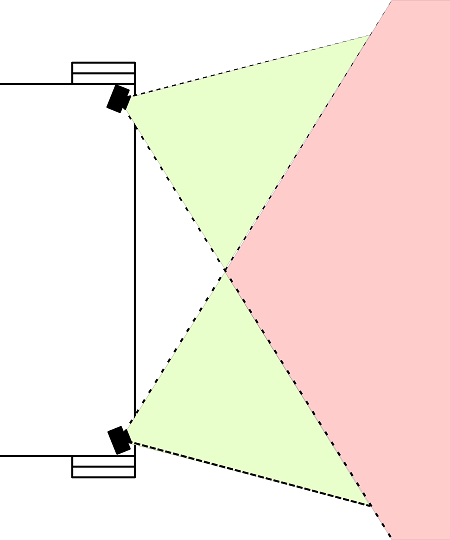
    Poor speaker placement can lead to uneven sound especially when there are several hindrances to good sound. When placing the speakers around the venue, aim for balanced coverage that avoids echo or dead zones.

    Live event coverage considerations for placement.

    If you have an important event, then you need to have it happen smoothly and without hitches. We would be glad to give your event our best!

    3. Sound Check is Key to a Live Event

    Always schedule a thorough sound check before the event. This time is the best time to troubleshoot and fine-tune and it will make a huge difference for the actual production. Knowing how a microphone will respond to a vocalist at full voice level makes surprises much less likely then the audience will have a much better experience. We can supply expertise for you next super charged event.

    4. Hire a Professional Sound Engineer for Your Live Event

    Nothing beats having an expert on-site to monitor and adjust sound in real time when your event is live. A professional engineer has the experience to quickly identify and anticipate problems and then make the appropriate adjustments. Their experience smooths out the audience experience which makes the event great.

    🎤 Need help with your next event?
    New Life Electronics offers full-service audio engineering and equipment rental to make your event successful and successful events will make audiences return.


    If you would like some of the best Online Audio training for live events, check out SynAudCon and get better!

  • New Life Electronics: Your Partner in Audio

    New Life Electronics: Your Partner in Audio

    Discover how we’re redefining audio/visual solutions for businesses and organizations.

    Welcome to the New Life Electronics (NLE) blog! We’re thrilled to have you here as we embark on this exciting journey to share insights, tips, and stories from the world of Audio and Visual (AV) solutions. Whether you’re a small business looking to modernize your conference infrastructure, a school seeking advanced AV setups, or a theater company planning your next big production, we want to be your trusted partner.

    Who We Are

    At NLE, we specialize in:

    • Live Performance Expertise: Our team provides equipment rentals and live sound engineering for concerts, performances, and corporate events.
    • Audio System Design and Installations: We look forward to working with you for setting up or installing your best sound system experience.

    With over four decades of experience serving audio and technology industries, we combine technical expertise with creative vision to meet your unique needs.

    What You Can Expect

    This blog will bring you:

    1. Tips and Tutorials: Learn about IT best practices, AV system optimization, and emerging tech trends.
    2. Project Highlights: See how we’re transforming businesses and venues with cutting-edge installations and solutions.
    3. Industry News: Stay informed about the latest developments in everything from audio design and practice all the way to sound engineering.

    📧 Want to stay ahead of the curve?
    Sign up for our newsletter to receive exclusive insights, how-to guides, and updates delivered straight to your inbox!


    Thank you for joining us as we launch this exciting chapter. Together we’ll explore how technology can drive creativity, productivity, and success. Stay tuned for more updates and valuable content from New Life Electronics!


    New Life Electronics - control board